Golf GPS Watch Accuracy: Why Does the Distance on Your Wrist Differ From the Marker?
Evidence: Research-led guide. This article explains the practical reasons a golf GPS watch, a yardage marker and a laser can show different numbers. Tomorrows Golfer has not hands-on tested a specific watch for this guide.
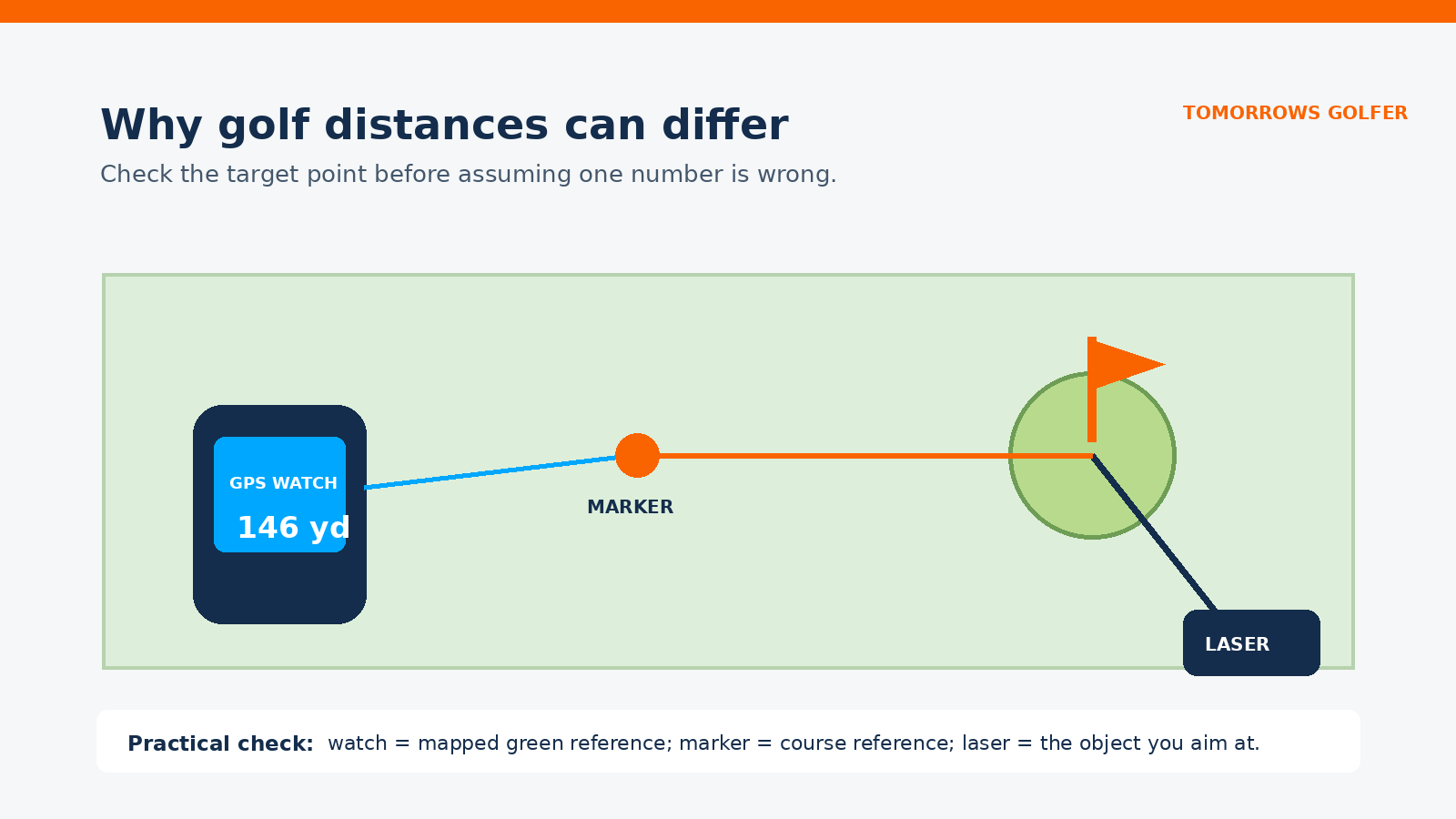
If your GPS watch disagrees with a marker, do not assume the watch is broken. The more useful question is: what point is each number measuring to? A watch will usually show a mapped reference on the green, a marker may refer to a fixed point set by the club, and a laser reads the exact object you choose. Those are not always the same target.
Start with the target, not the number
Most golf GPS watches are designed to make front, middle and back distances quick to see. That is a sensible reference for course management, but it is not the same as a laser pointed at the flag, a bunker lip or a tree. A sprinkler-head or fairway marker can also use its own fixed reference, often the centre of the green, rather than the current pin position.
So a difference is often a difference in reference point. On a long green, front, middle, back and flag distances can be meaningfully different even when the GPS position and course map are behaving normally.
Why your wrist and the marker can disagree
1. They may be aiming at different parts of the green
Check whether the marker gives a distance to the front, centre or back. Then compare that with the watch screen. If your watch shows all three, use the matching one. If it shows only one figure, check the device manual before treating it as a centre-of-green distance.
2. The watch needs a good position and a current course map
A watch estimates your position from satellite signals, then combines it with its stored course map. Trees, terrain, a poor satellite lock, an outdated map or a map that does not reflect a course alteration can all be reasons to investigate. That does not prove the number is wrong, but it is a good prompt to update the device, allow it to acquire GPS before the round and check the correct course has loaded.
3. The marker itself is a fixed course reference
Markers are useful, but they are not live pin positions. A temporary tee, a moved green or a marker that is simply measured to a different point can make the comparison look worse than it is. Use the marker as one reference, not as a universal verdict on every other distance source.
4. A laser answers a different question
A laser rangefinder measures the object you target. Point it at the flag and it is answering a pin-distance question. Point it at the front edge or a bunker and it is answering something else. That precision is helpful when you need a specific carry or lay-up number, but it does not replace the wider front/middle/back picture from a GPS watch.
A quick on-course check
- Stand beside a known marker and note exactly what it says it measures to.
- On the watch, compare the matching front, middle or back value.
- Check that the intended course and hole are selected.
- Use a laser on a visible target only if it is safe and permitted for the round.
- If the watch is consistently implausible across several holes, update the software and course data, then contact the manufacturer with the course, hole and device details.
Do not chase one-yard differences. Use the figures to choose a sensible target, factor in the lie and conditions, and avoid turning a normal reference mismatch into an equipment problem.
Which distance source is best for each decision?
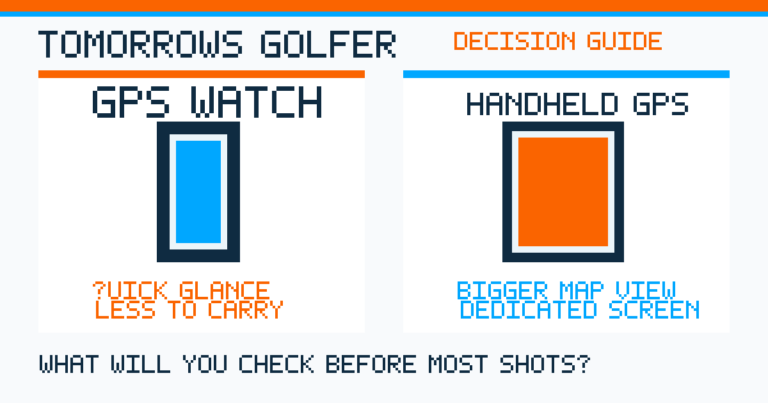
GPS watch
Best for: a fast front/middle/back overview and keeping a number available while walking.
The trade-off: it depends on position, course mapping and the reference point shown on screen.
Course marker
Best for: a quick fixed reference when you know what the marker measures to.
The trade-off: it is not a live pin-distance tool.
Laser rangefinder
Best for: a visible, specific target such as a flag, bunker edge or tree.
The trade-off: it needs a clear view and does not automatically show the whole green.
When it is worth checking the watch
Investigate further if the difference is large and repeated on different holes, if the wrong course or hole keeps loading, or if the displayed green shape plainly does not match the course. In that case, take a photo of the screen and note the hole and comparison point before contacting support. That gives the manufacturer something useful to assess.
For a buying decision, accuracy is only one part of the picture. A watch that is easy to read, has useful mapping for the courses you play and fits your preferred way of getting a number can be the more practical choice. Read our guides to GPS watches versus phone apps, GPS watches versus handheld GPS and GPS versus laser rangefinders for the wider trade-offs.
Are distance-measuring devices allowed?
The Rules of Golf permit distance or direction information from an electronic device, provided it does not measure prohibited conditions or help with club selection in a prohibited way. Competition committees can set their own conditions, so check the event’s local rules before relying on a particular feature. The R&A’s Rule 4 guidance is the primary source.
Tomorrows Golfer verdict
When a golf GPS watch and a marker disagree, first match the target point. A watch is most useful as a quick course-management reference, while a laser is better for an exact visible target. If the disagreement is persistent and clearly unreasonable, check course selection, updates and manufacturer support. That approach is more useful than assuming any one number is automatically right.
Product features, course mapping and competition rules can change. Check your specific device’s current manual, map-update process and local rules before a competition round.