Golf GPS Watch Subscription Costs: What Should You Check Before Buying?
Evidence label: Research-led guide. This article is based on current provider information and buying considerations. It is not a hands-on test of a particular GPS watch, app or subscription.
A golf GPS watch can look like a one-off purchase, but the total cost is not always limited to the price on the box. Some useful features are included with the device. Others may be tied to an app, a membership, a trial period or a separate sensor-based system.
The practical question is not simply, “Does this watch have a subscription?” It is: what will I still be able to use after the first few rounds, and what will it cost if I want more?
For many everyday UK golfers, a simple watch with quick front, middle and back distances is enough. If you want performance tracking, detailed green information, shot-by-shot data or advanced course planning, checking the ongoing terms matters much more.
The short answer
Do not assume that a watch, app or tracking system is either fully subscription-free or permanently locked behind a fee. The answer depends on the exact product, region and feature set. Terms can also change as providers update their apps and membership plans.
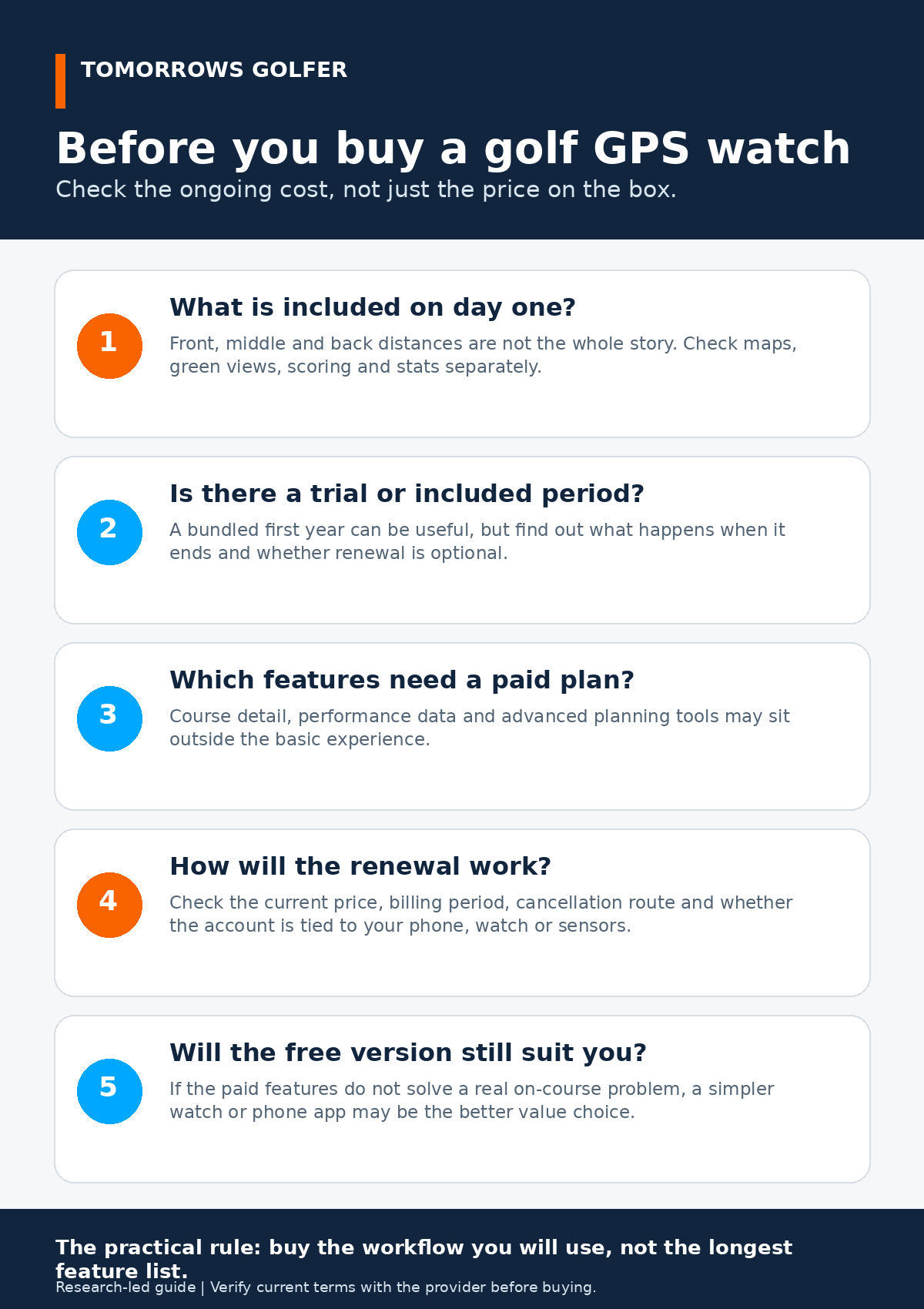
Before you buy, check five things: what is included immediately, whether there is a trial or bundled period, which features need payment, how renewal works and whether the basic version already solves your real on-course problem.
1. Separate the hardware cost from the service cost
A dedicated GPS watch is hardware. Its screen, battery, GPS receiver and basic on-course use are part of the item you buy. The extra layer is software and data: course maps, scoring, cloud storage, performance analysis, green detail, strategy tools or connected shot tracking.
Those extras are not automatically bad value. They can be genuinely useful if you review rounds, use the planning tools or want your phone and watch to work as one system. The mistake is paying for them by default when you only need a glanceable distance to the middle of the green.
Write down the feature you actually care about before comparing products. “I want a distance number without using my phone” is a different purchase from “I want to identify where I lose shots over a season.”
2. Check what happens after any included period
An included year is not the same as a lifetime inclusion. It may be a sensible way to try a fuller service, but you should find out the renewal price, billing frequency and the consequence of not renewing before you order.
Arccos, for example, currently presents its membership as part of its connected-shot-tracking offer and says a first year is included with product purchase on its official membership page. That is a useful reminder to check the membership terms rather than treating the hardware price as the complete cost. We have deliberately not quoted a fixed price here because plan pricing and regional terms can change.
Look for clear answers to these questions:
- Is the included period automatic, optional or tied to a promotion?
- Will it renew automatically?
- Can you cancel through the provider, the App Store or Google Play?
- What features remain if you do not renew?
3. Find out which features sit behind the paid tier
Providers do not all divide features in the same way. One may include basic distances and course information with the watch, while another may reserve advanced analysis, richer maps or planning tools for a membership. An app can offer a useful free version but make detailed statistics or premium mapping an upgrade.
Read the current comparison on the provider’s own product, membership or app page. Do not rely on an old review, a retailer bullet point or a forum comment for this. Those are useful for spotting questions, but not for proving the current terms.
Be particularly careful with language such as “premium”, “Pro”, “Plus”, “membership” and “trial”. It often tells you that the feature list has more than one level.
4. Check the account and cancellation path
A recurring cost is easier to manage when you know where it is billed. A purchase made through an app store may be cancelled through that store. A provider membership may be managed in a web account. Connected sensors can add another layer because the hardware and the service are linked.
Before buying, check whether you can see the cancellation instructions without already owning the product. Also confirm whether your history, saved rounds or personal settings remain accessible if you stop paying. There is no universal answer, so this is a model-by-model check rather than something to guess from the brand name.
5. Decide whether the free or basic experience is enough
Start with your normal round. If you usually want a quick yardage, a watch with reliable basic GPS may be the calmer option. Our guide to golf GPS watches versus phone apps explains why the simpler workflow can matter more than the longest specification list.
If you enjoy reviewing shots, keeping scoring records and using detailed course plans, a paid app or membership may earn its place. The value comes from using it consistently. A subscription that feels useful after twenty rounds can be sensible; one that only adds screens you never open is not.
A practical buying checklist
- Open the official product page. Confirm the exact model and UK availability.
- Open the official membership or app page. Check the current plan terms and feature comparison.
- Read the cancellation wording. Do this before you start a trial.
- Check course coverage for the clubs you play. A feature-rich plan is not much use if its course support does not fit your golf.
- Price a full year, not just the first month. Include any required sensors or app upgrades.
- Choose the least complicated setup that solves your problem. You can always add analysis later.
Watch, phone app or connected tracking?
Dedicated GPS watch
Best for: golfers who want a quick, low-fuss distance on the wrist.
The trade-off: a smaller screen and an upfront hardware cost. Feature depth varies, so confirm what is included for the exact model rather than assuming every golf watch works the same way.
Phone app
Best for: golfers who want to try GPS at lower upfront cost, prefer a larger map or are happy managing phone battery and notifications.
The trade-off: useful extras may be optional paid upgrades, and a phone can be less convenient in wet or busy rounds.
Connected shot-tracking system
Best for: golfers who will actually use post-round data to make better practice or equipment decisions.
The trade-off: it can involve hardware plus an ongoing service. Check the full ownership and renewal picture before comparing it with a simple watch.
Who this guide is for
This is for golfers comparing their first GPS watch, moving from a phone app or considering a more data-led tracking setup. It is also useful if a product advertises a trial, a free year or a premium plan and you want to know what that really means.
Skip the complexity if you only want basic yardages and already have a setup you use happily. In that case, a more expensive membership is unlikely to make your golf more enjoyable simply because it offers more data.
Verdict
Subscription costs should not put you off a golf GPS watch or a connected tracking system. They should make you compare the total workflow more carefully. Buy the setup that gives you the information you will use during and after a round, then verify the exact current terms before you pay.
For broader device choices, see our golf GPS watch guide and our comparison of GPS versus laser rangefinders.
Sources and further checking
- Arccos Golf membership information for its current membership presentation and included-period wording.
- Check the exact manufacturer product page, app-store listing and membership terms for the model you are considering. Product features, billing and UK availability can change.