Golf Launch Monitor Accuracy: What Actually Matters?
Evidence label: Research-led explainer. This article draws on the way launch-monitor systems measure ball and club movement, plus published setup and equipment guidance. It is not based on hands-on testing of a particular monitor.
A launch monitor can be genuinely useful without being an infallible referee. The practical question for most golfers is not, “Is this number perfect?” It is, “Can I use this number to make a better practice or buying decision?”
That distinction matters because accuracy is not one fixed property. A reading can be affected by the technology doing the measuring, the shot available for it to observe, the ball, the space, the device setup and the metric being shown. Two sessions can produce different answers without either session being useless.
This guide explains what normal golfers should look for before judging a launch monitor, whether they practise at the range, into a net at home or in a simulator.
What “accurate” should mean for a normal golfer
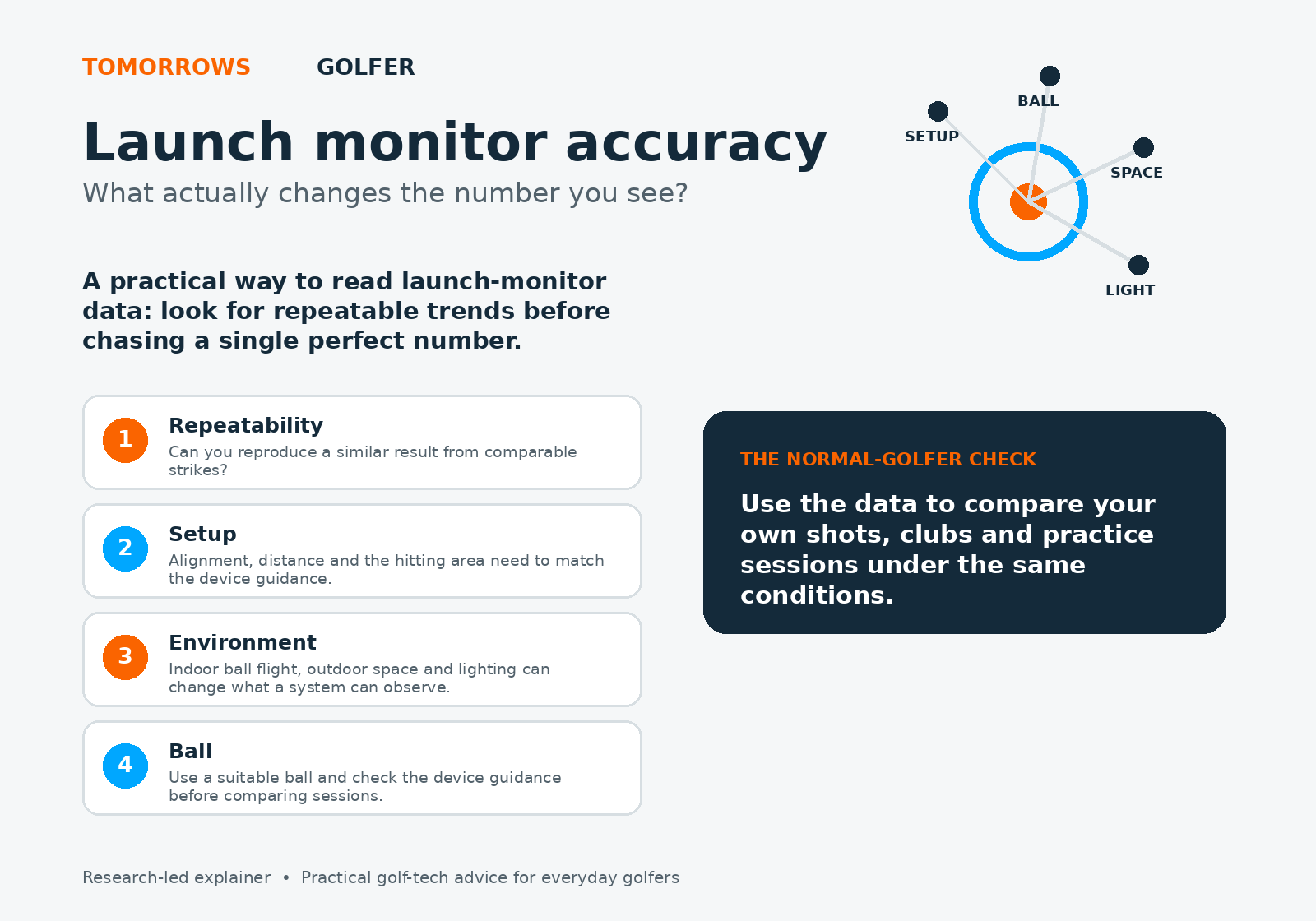
Start with repeatability. If similar strikes, hit from the same position in the same environment, repeatedly produce a sensible pattern, the data can help you compare clubs, spot a strike change or see whether a practice drill is moving the right way.
A single reading is much less valuable. Golf shots vary, even when a player feels they have made the same swing. Poor contact, an unusually thin strike, a different ball or a slightly misplaced unit can all create a result that is real for that shot but not representative of your normal delivery.
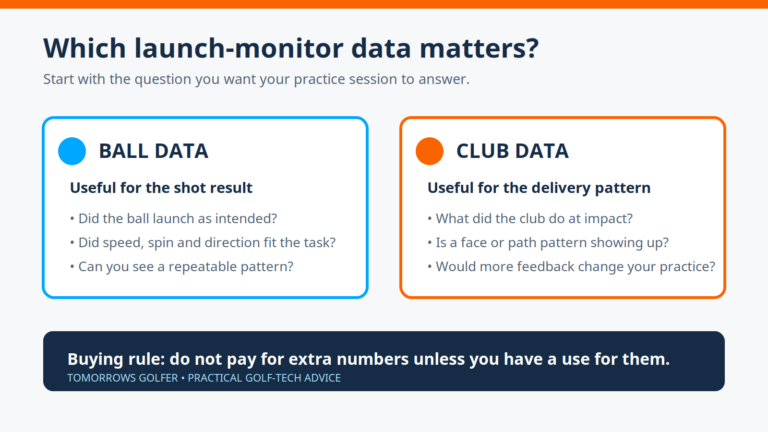
For that reason, look at small groups of broadly comparable shots rather than choosing the best one. Note the obvious mishits, then ask whether carry, ball speed, launch, direction and spin behaviour tell a consistent story. The exact metrics available will depend on the monitor and software, so do not assume every number carries the same weight on every device.
Tomorrows Golfer rule of thumb: use a launch monitor first as a comparison tool for your own sessions. Treat a number as more useful when the setup and conditions are repeatable, and less useful when you cannot explain why it changed.
Setup is part of the measurement
Most launch-monitor disappointments begin before the club moves. The unit needs to be positioned, aimed and spaced according to its own instructions. A device that relies on a defined hitting zone also needs the ball struck from that zone.
That sounds basic, but home practice makes it easy to drift. The mat moves a few centimetres. The monitor is nudged when the net is adjusted. A right-handed player starts hitting from a different part of the mat. On some setups, an alignment stick or a marked ball position is a cheap way to remove that uncertainty.
Do a short sanity check at the start of a session. Confirm the unit is level where required, facing the intended target line, at the specified distance from the ball and running the correct mode for indoor or outdoor use. If your monitor asks for club, ball or environmental settings, make sure they match the session before comparing results with an older one.
Indoor and outdoor conditions ask different things of a monitor
Outdoors, there is usually more ball flight to observe. Indoors, the monitor may have less flight to work with and may need to calculate more from the initial part of the shot. That does not automatically make indoor practice poor. It does mean the room and the device requirements matter more.
Radar-based systems generally benefit from adequate, unobstructed ball flight and clear space behind the ball. Camera-based systems generally depend on a clean view of the hitting area and ball. Those are broad technology patterns, not a verdict on any individual model. The right setup distance, ceiling height, net position and lighting are always device-specific.
At an outdoor range, uneven turf, wind, a different ball and a target line that does not match the monitor’s alignment can complicate comparison. At home, a short ball flight, a cramped room, reflective surfaces or unsuitable lighting can do the same. Before blaming the unit, check the manual’s space, placement and lighting guidance.
If you are planning an indoor setup, our guide to golf simulator room size is a useful companion. For range users, see can you use a launch monitor outdoors?.
Ball choice and compatibility can change the result
The ball is not a trivial detail. Launch monitors can use the ball’s appearance, marked patterns or measured flight characteristics in different ways. Some systems and modes may need a particular type of ball, a clean ball, a marked ball or a compatible indoor setting to provide their best available data.
Keep the ball variable under control when you want to compare sessions. Use the same model where practical, avoid badly scuffed balls and do not compare premium range balls, limited-flight balls and your own course ball as though they are interchangeable. If a device has a ball-compatibility note, follow it rather than relying on a generic internet claim.
For golfers using the data to plan a new ball purchase, remember that a launch monitor is one part of the decision. The R&A and USGA publish the equipment standards that sit behind conforming balls, but your own launch and spin pattern, course conditions and feel preference still matter. Their Equipment Rules and the USGA’s equipment standards are useful primary references for the wider framework.
Radar, camera and calculated data: why technology matters
Different launch monitors do not all see the shot in the same way. Radar systems track movement using radio waves. Camera-based or photometric systems use high-speed images around the impact area. Some consumer systems may also calculate certain metrics from other measured inputs, particularly where there is limited flight.
That is why an accuracy conversation needs to begin with the metric. A system may be well suited to tracking a particular part of the shot in a particular environment, while another setup is more useful for a different job. It is not sensible to expect every compact consumer device, indoor simulator setup and outdoor range unit to answer every club-and-ball question in exactly the same manner.
Read our plain-English guide to radar vs camera golf simulator technology before choosing a setup. The key buying question is not which technology sounds more advanced. It is whether the monitor can reliably provide the information you will actually use in the space where you will use it.
How to make better decisions from the readings
Use a simple process:
- Decide the question first. Are you checking carry gaps, comparing two clubs, working on strike quality or simply making range practice more focused?
- Standardise the session. Keep the location, ball type, mat or turf, target line and device placement as consistent as you can.
- Hit enough comparable shots. A pattern is more useful than one standout number. Exclude only obvious mishits, not every result you dislike.
- Compare like with like. Do not judge an indoor session against an outdoor session without noting the different conditions.
- Act on a trend, then retest. If a club appears consistently short or a swing change shifts launch, check it again on another day before making a big equipment decision.
That process also reduces the temptation to overthink. Our guide on using launch monitor data at the range without overthinking it explains how to keep the session focused on a small number of useful signals.
Who this is for, and who should skip it
This is for: everyday golfers who want to understand why launch-monitor readings vary, set up more reliable practice sessions or choose a monitor that suits their real environment.
Skip this if: you only need a quick device shortlist. In that case, start with our best golf launch monitors under £500 guide, then come back here to assess what the data will mean in your setup.
The trade-offs to accept
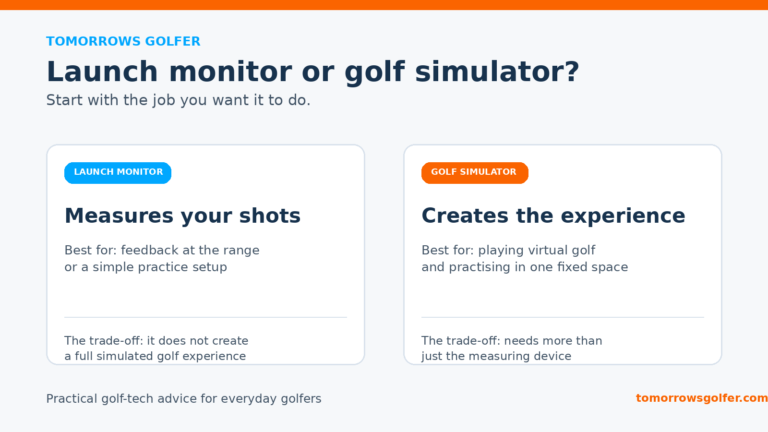
A more demanding setup can provide more information, but it may require more room, more careful alignment or a more controlled environment. A compact monitor can make practice easier to start, but may not give every data point you would want for detailed fitting work. Outdoor freedom can bring more observed flight, while indoor practice offers repeatable conditions when the room is suitable.
There is no universal winner. The sensible UK buying decision is to match the monitor to the place you will actually practise most often, not the idealised setup you might use once a month.
Verdict: chase useful consistency, not a magic accuracy claim
A launch monitor earns its place when it helps you make repeatable comparisons and better next decisions. Set it up properly, use compatible balls, respect the room or range conditions and judge trends across comparable shots. If the reading changes, investigate the setup and the shot before assuming the monitor has failed.
For most golfers, that is a better standard than hunting for one headline accuracy number. It is also the standard most likely to make the technology useful week after week.