How to Use Launch Monitor Data at the Range Without Overthinking It
Research-led guide. This article explains a practical way to use launch-monitor feedback at the range. It is not a substitute for a coaching diagnosis, fitting session or hands-on test of every device.
Launch monitor data can make range practice more useful, but only if it answers a real question. The mistake many golfers make is trying to watch every number on every shot. That creates noise, not improvement.
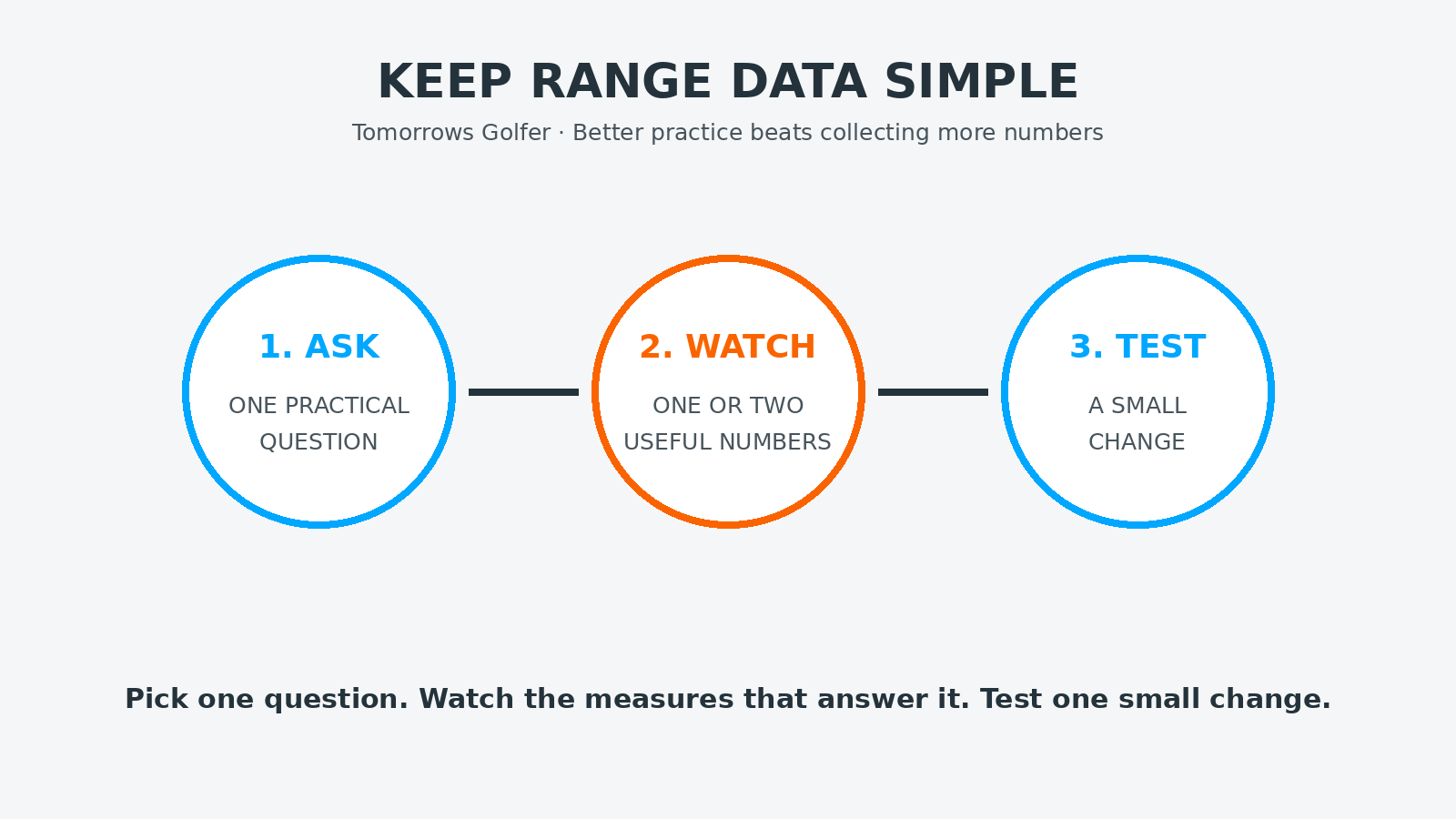
A better approach is simple: arrive with one question, choose one or two useful measures, then test a small change. You do not need to understand every metric to make the technology worthwhile.
Quick verdict
For most amateur golfers, the most useful starting point is usually carry distance, start direction and strike consistency. Add other numbers only when they help answer the specific question you are working on.
Start with a practice question
Do not begin with the screen. Begin with the shot you want to understand. Good examples include:
- How far do I actually carry each iron?
- Is my driver starting left or right of where I intend?
- Does a change in setup produce a more consistent strike?
- Which club gives me the most reliable carry for a particular lay-up?
These are useful because they lead to a decision. By contrast, “I want to increase every number” is too vague to guide a productive session.
Three measures that help most golfers
Carry distance
Carry is often more useful than total distance because it gives you a repeatable number for planning shots. Use several reasonably struck shots rather than the longest one. Look for a realistic range, not a personal best.
Start direction
Where the ball begins is a practical way to understand your pattern. If your shots repeatedly start well left or right of the target, you have a clearer practice question than if you simply know that some shots missed.
Strike consistency
Depending on the monitor, strike feedback may be shown through impact location, ball speed or a pattern of carry distances. The exact metric varies by system, but the useful question stays the same: are you producing a repeatable result often enough to trust the club on the course?
Numbers to use carefully
Club speed, ball speed, launch angle, spin and face/path data can all be useful. They can also be distracting when you do not know what caused the change or what a good number would mean for your swing, equipment and ball flight.
Do not treat online “optimal” numbers as a target to copy. A useful launch window for one golfer may not suit another. If you are working with a coach or fitter, these measures become more valuable because they can be read in context.
What not to do
- Do not compare one perfect strike with your normal on-course distance.
- Do not change club, target and swing thought after every shot.
- Do not assume a number is wrong simply because it challenges what you believed about your game.
- Do not turn a productive session into a technical diagnosis when the simple answer is that strike quality varied.
If a result surprises you, repeat the shot with the same club and target before drawing a conclusion. The aim is to recognise a pattern, not react emotionally to one reading.
A 30-minute range session using a monitor
First 10 minutes: establish a baseline
Warm up normally. Choose one club and hit a small set of shots with no technical change. Note the usual carry range and start pattern. Ignore obvious mishits rather than letting them dominate the picture.
Next 15 minutes: test one change
Pick one simple adjustment. It might be alignment, ball position, tempo or a target choice suggested by a coach. Watch only the measure linked to that change. Do not add five new swing thoughts because a number moves.
Final 5 minutes: test the result
Return to the original target and see whether the improved pattern holds without overthinking it. The aim is not to “win” the session. It is to leave with one useful observation for your next practice or round.
Use the data to make course decisions
Data is most valuable when it changes a decision. If you learn that an iron carries less than you assumed, it may change a lay-up number. If your driver pattern is wider than you thought, it may change which holes suit a more conservative club from the tee.
That is why launch monitor practice should connect to normal golf, not exist as a separate game on a screen.
Who this is for
This guide is for golfers using a launch monitor at home, on a range or in a simulator who want a calmer, more useful way to practise.
Who should skip it
If you are in the middle of a fitting or a detailed coaching programme, follow the measures and process set by your fitter or coach first.
Final verdict
Do not chase every number. Choose one question, watch the few measures that answer it and test a small change. A launch monitor becomes genuinely useful when it makes your next practice decision clearer.